Collections
A collection is a group of links with a name, an optional description and its own address. Use them for anything: a reading list, tools you use, a weekly newsletter’s picks, gift ideas.
Making a collection
Open Collections in the sidebar and choose New collection. You can also make one while filing links: type a new name into the collection picker and choose Create collection.
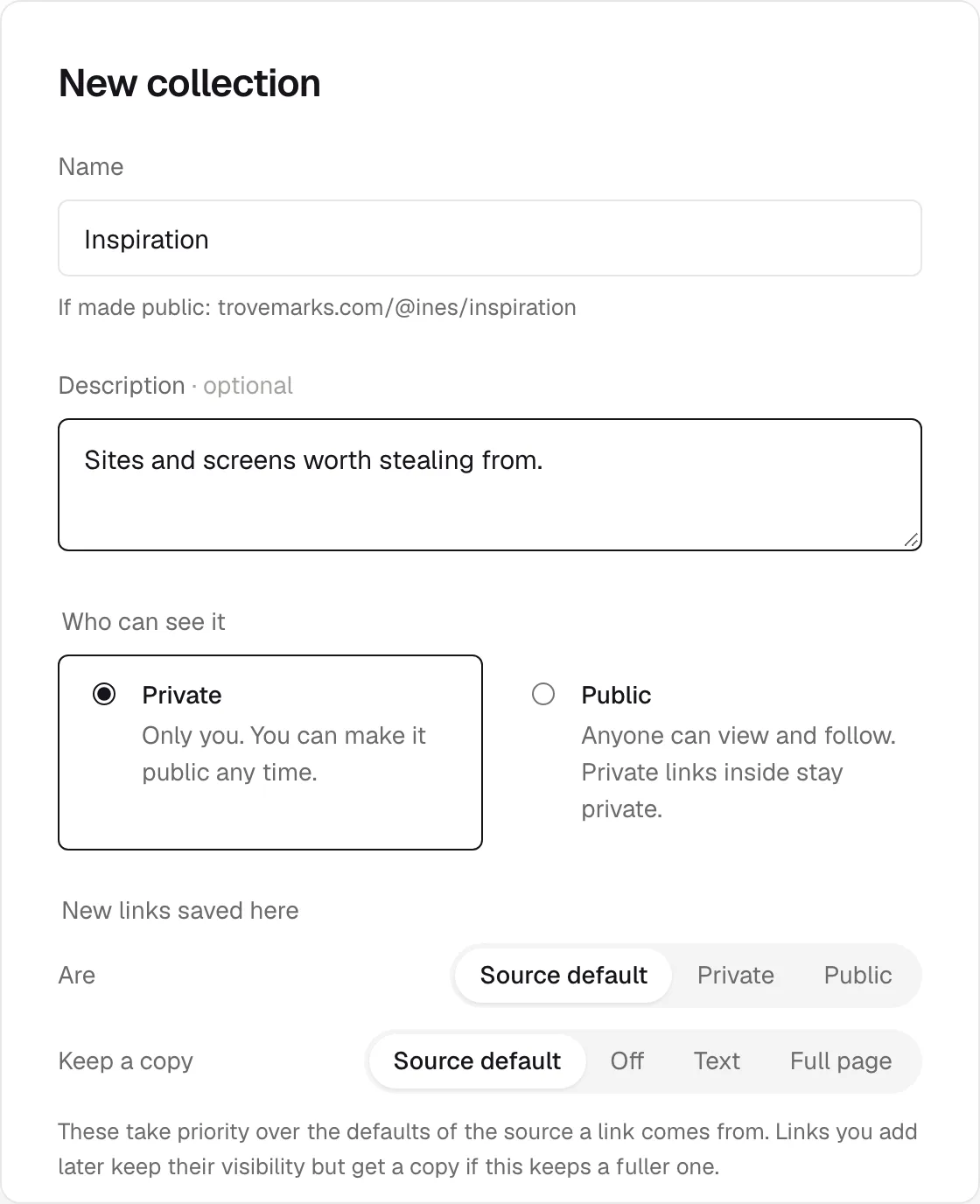
Names are unique, ignoring capitals: you can’t have both Reading and reading. The collection’s address is made from its name, like trovemarks.com/you/long-reads, and stays the same if you rename it, so links people have shared keep working.
Adding links
A link can be in any number of collections. To add links:
- While saving, pick a collection, or save while you’re looking at it: pasting a link on a collection’s page puts it there.
- One link: open its details and use the In row.
- Many links: select them in the library and choose Collection.
Taking a link out of a collection doesn’t delete it. It stays in your library, and in any other collections it’s in.
Who can see it
A collection is Private (only you) or Public (anyone can view and follow it). Change it under Edit → Who can see it.
A public collection shows only its public links. Private links you add to it stay private: visitors don’t see them, and they aren’t counted. In your own view, private links are marked with a lock.
Making a collection public doesn’t change the links already in it. If you want them all public too, select them and choose Visibility → Make public, or use the collection’s defaults below.
Defaults
Each collection can decide what happens to links saved into it, under Edit → New links saved here:
- Are: private, public, or the source’s default.
- Keep a copy: off, the text, the full page (Pro), or the source’s default.
A collection’s defaults take priority over the source a link comes from. For example, a public Weekly picks collection could make every link saved into it public, wherever you saved it from.
When you change the defaults of a collection that already has links, the dialog offers to apply them to those links too. Otherwise they only affect links saved from then on.
Followers
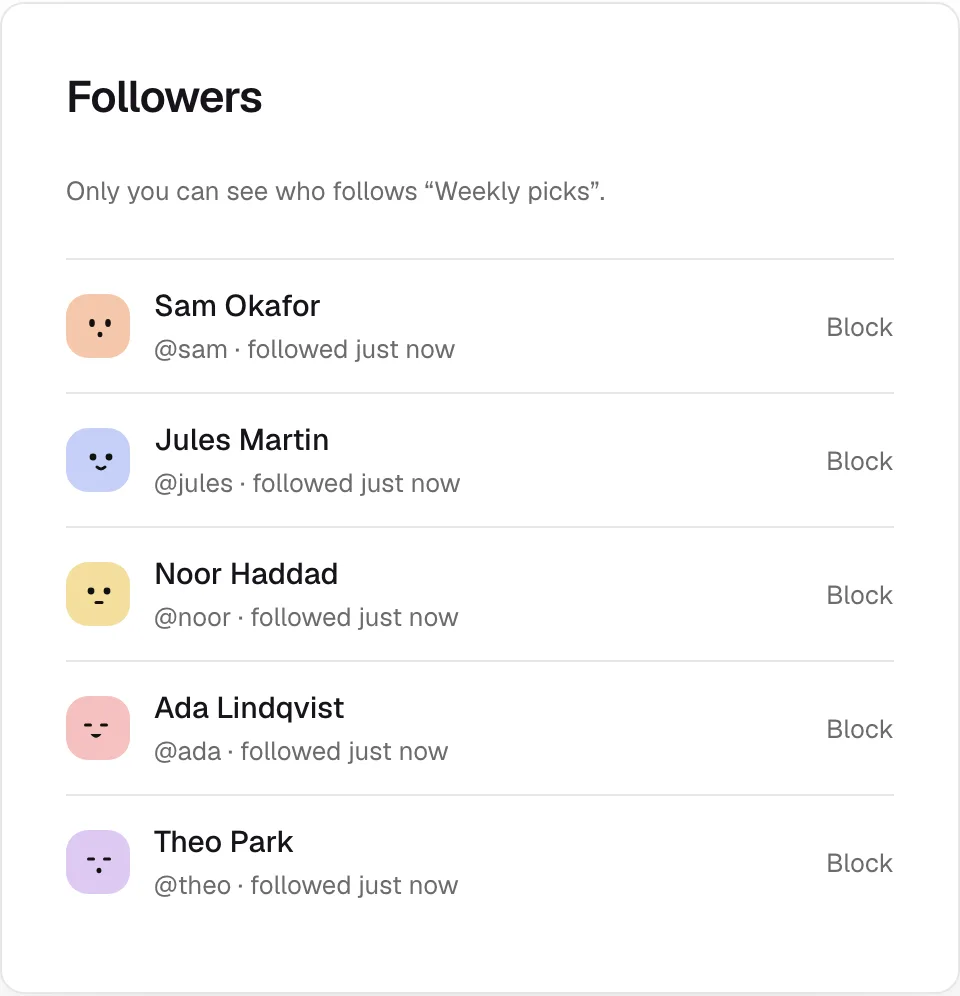
When people follow one of your public collections, its page shows how many. Click the count to see who, newest first. Only you can see the list. You can block anyone from it, which also ends their follows of all your collections.
The public page
Each public collection has a page at trovemarks.com/you/collection-name with an RSS feed. View public page on the collection opens it. See Sharing.
Deleting a collection
Delete on a collection removes the collection, not its links: they stay in your library and in any other collections. Its followers stop following it, and its public page and feed go.
Limits
The free plan includes 10 collections; Pro has no limit. On Free, collections that arrive past the limit from an import, the extension’s bookmark sync or the API become tags instead, so nothing is lost. See Free and Pro.