Bookmarklet and address bar
No extension? These work in every browser, including Safari, and on iPhone and iPad.
The bookmarklet
A bookmarklet is a bookmark that does something. Click it on any page and a small Trovemarks window opens, saves the page, and lets you add a collection, tags and a note.
- Go to Ways to save.
- Drag the Save to Trovemarks button to your bookmarks bar. (In Safari, show the bar with View → Show Favorites Bar first.)
- On any page, click it.
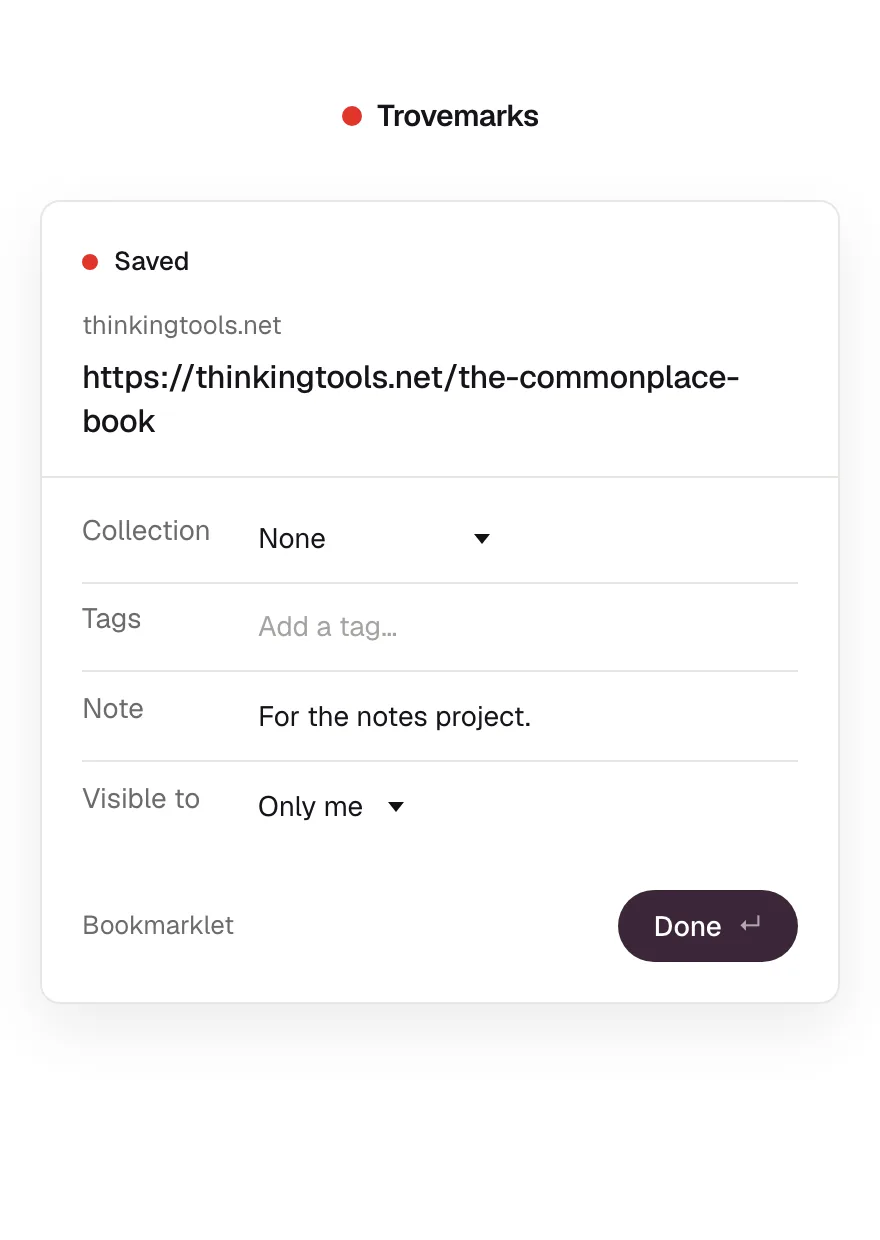
On iPhone and iPad
Bookmarklets can’t be dragged on a phone, so it takes a minute:
- On Ways to save, choose Copy code.
- In Safari, bookmark any page (Share → Add Bookmark).
- Open your bookmarks, choose Edit, tap the new bookmark, and replace its address with the code you copied. Rename it Save to Trovemarks.
- On any page, open your bookmarks and tap it.
The iPhone shortcut is quicker once it’s set up.
Put the address in front
In any browser, on any device, with nothing installed: click the address bar, go to the very start, and type trovemarks.com/ before the address.
Press Enter, and the save page opens with that link saved. Links saved this way come from the Address bar source.