Following
Trovemarks is built around following collections, not people. Follow Climate tech without getting someone’s Recipes, and follow as many as you like.
Following a collection
Open any public collection and choose Follow. To stop, choose Following again. Your follows are listed under Collections → Following.
Following is public in one way only: the collection’s owner sees a follower count, and the list of who follows. Nobody else sees what you follow.
Home
Home has two feeds:
- Following: links added to the collections you follow, newest first. If two collections you follow add the same link, it shows once.
- Trending: what people across Trovemarks are saving right now.
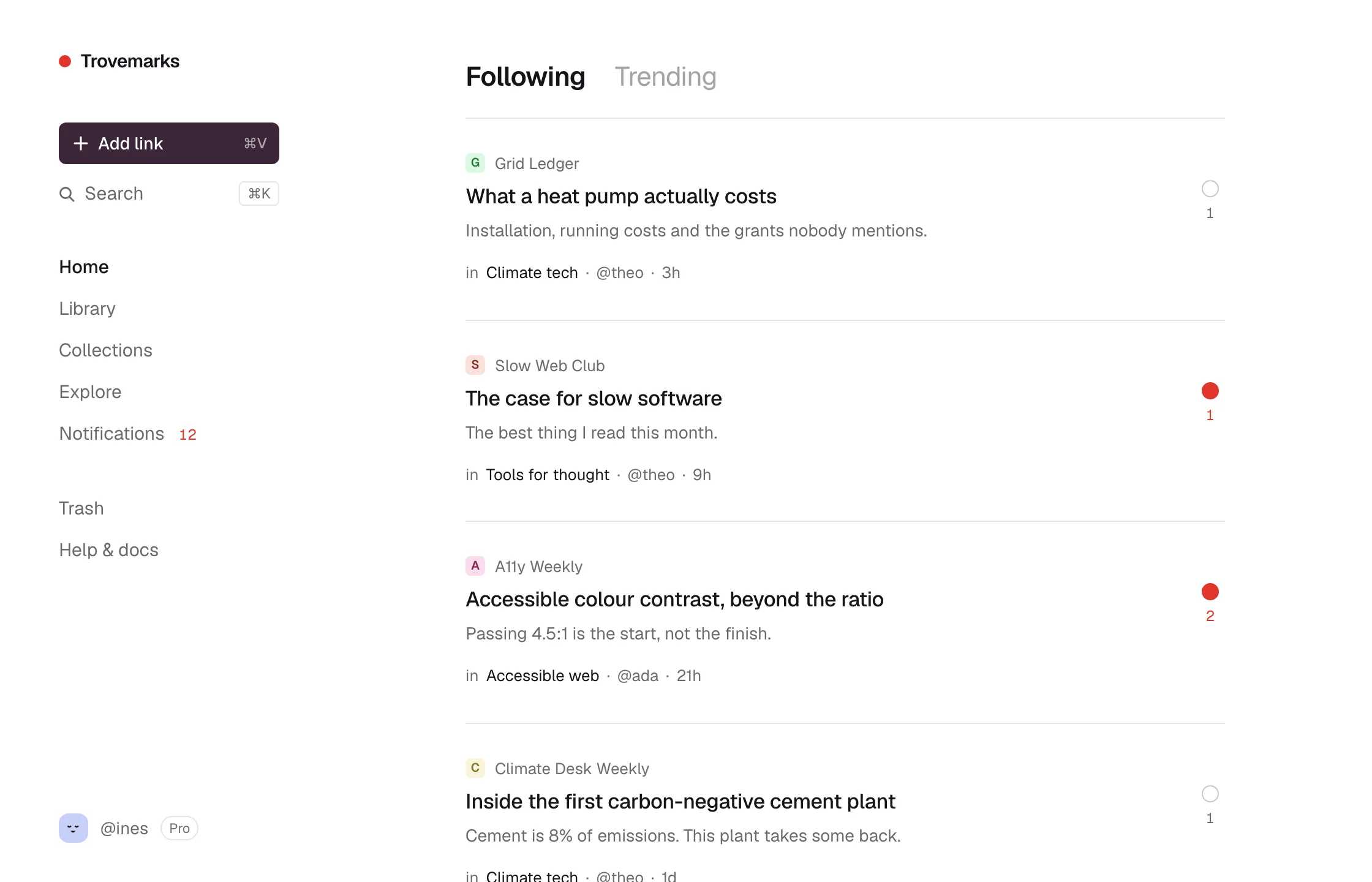
Under each link you can see which collection it came from and who added it. Click the circle beside it to save it to your own library. The person who added it gets credit: your copy shows who you saved it from, and they’re told someone saved it.
Trending
Trending ranks links by how many different people have saved them publicly, recently. A link needs at least two people saving it to trend, accounts less than a week old don’t count towards it, and each site appears at most once per page, so no single site can take over.
Explore
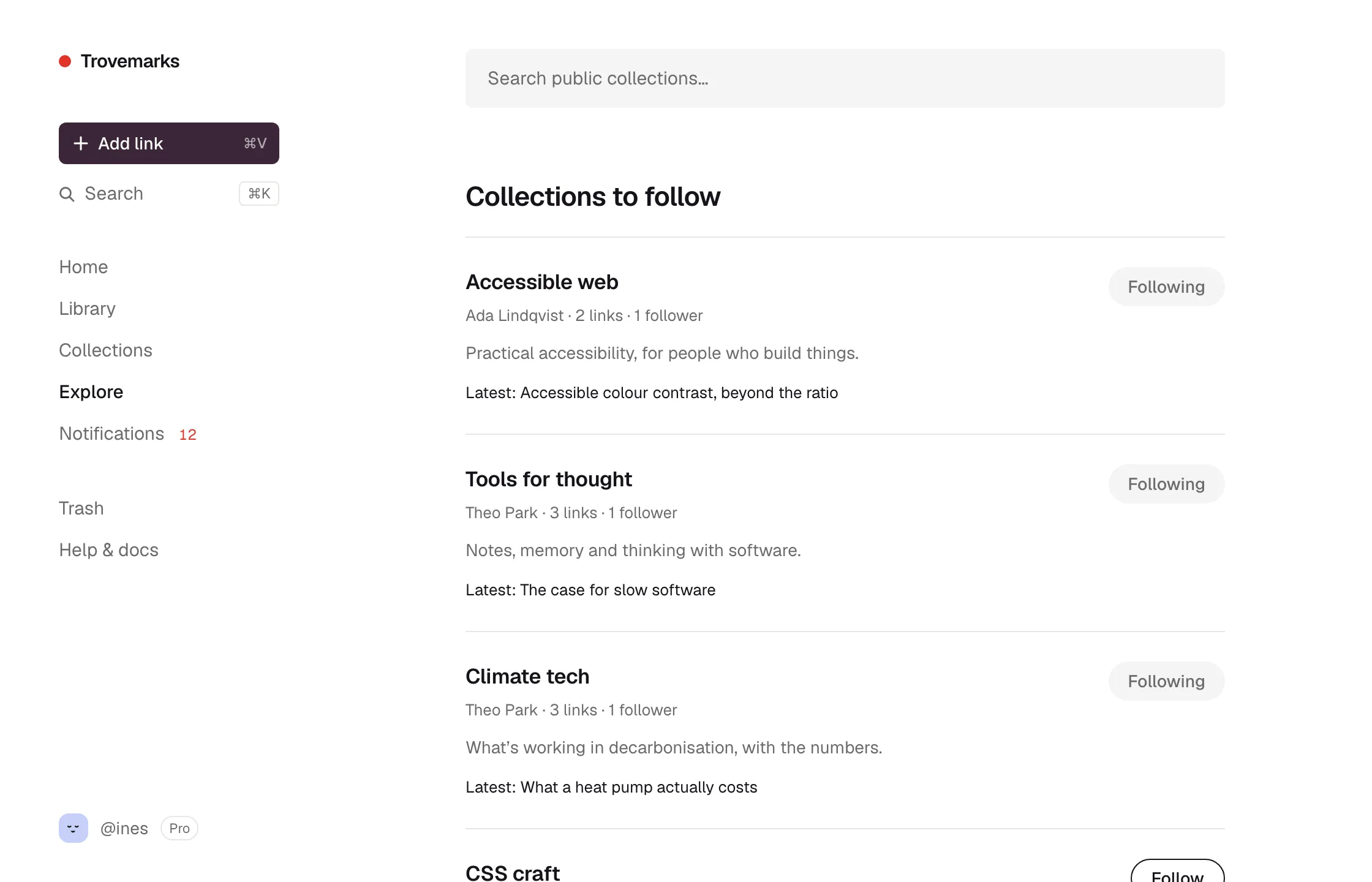
Explore lists collections worth following, and lets you search every public collection by name and description.
Email digests
A digest is an email with what’s new in the collections you follow, and how many notifications you have waiting. Choose Weekly (the default), Daily or Off under Settings → Account → Email → Digest.
New in the collections you follow:
The case for slow software
https://example.com/slow-software
in Tools for thought by @theo
What a heat pump actually costs
https://example.org/heat-pumps
in Climate tech by @theo
…and 10 more on Trovemarks.
You have 3 new notifications.
A digest is skipped when there’s nothing new. Every digest has a one-click unsubscribe link.
Notifications
Notifications in the sidebar shows a badge when:
- Someone follows one of your collections.
- Someone saves one of your public links to their library.
- Someone comments on one of your links, or replies to your comment.
- An import you started has finished.
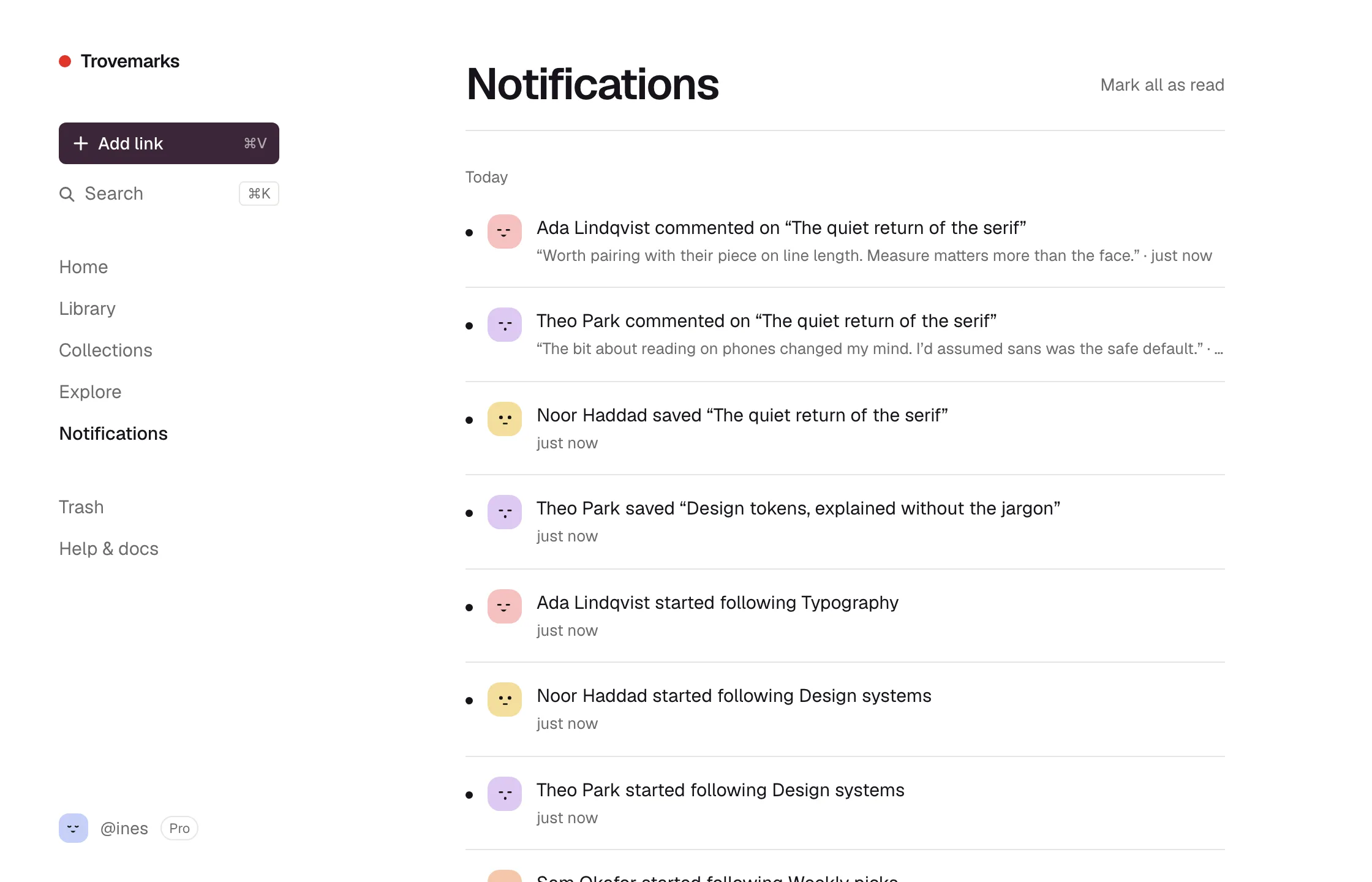
Notifications don’t send email on their own; new ones are counted in your digest instead.