How it fits together
Trovemarks has a handful of ideas. Once you know them, the rest of the app follows.
Links
A link is a web address you’ve saved, plus what you add to it: your own title, a note, tags, the collections it’s in, and whether it’s public. Each link is yours alone. If you save a page someone else also saved, you get your own link with your own notes; you don’t share theirs.
When you save a link, Trovemarks fetches the page’s title, description, image and icon in the background. It can also keep a copy of the page, so the link stays readable if the page changes or disappears.
Every link lives in your library, whether or not it’s in a collection. Links in no collection are unsorted.
Collections
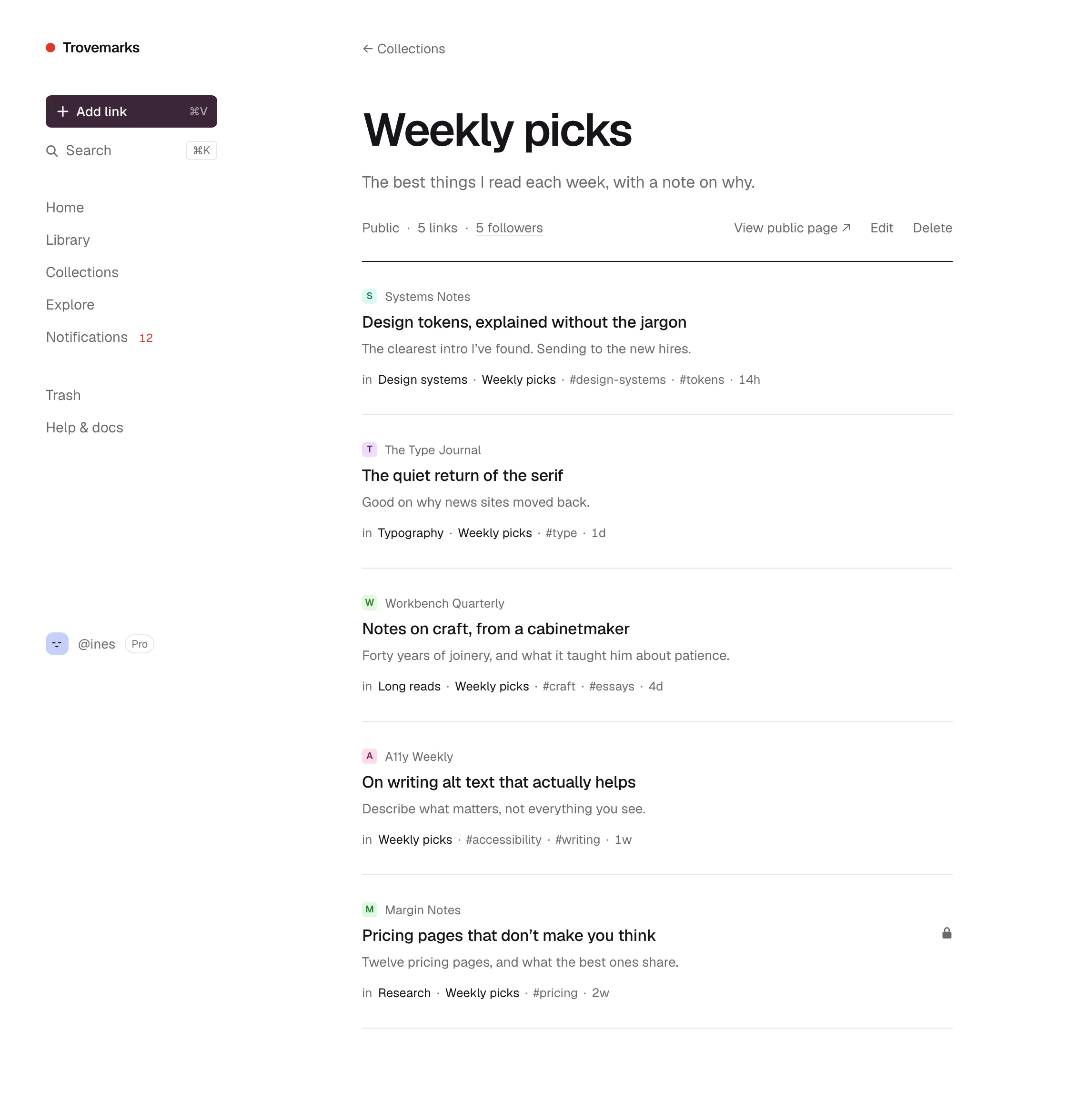
A collection is a group of links with a title, an optional description and its own address. A link can be in any number of collections, and taking a link out of a collection doesn’t delete it.
Collections can have defaults: links saved into Inbox could be private and keep a full copy of the page, while links saved into Weekly picks are public. See Collections.
Tags
Tags are labels like #pricing or #to-watch. They’re for finding things, not for showing them: tags are always private, even on public links. Use collections for groups you might share, and tags for everything else. See Tags.
Public and private
Links and collections are each public or private, and private always wins:
- A private link is seen only by you, everywhere: in public collections, feeds, counts, search, RSS and link previews.
- A private collection is seen only by you, even if the links in it are public.
- A public collection shows only its public links. Anyone can see its page and follow it.
- A public link has its own page, and appears in the public collections it’s in and on your profile.
New links are private unless you change the default in Settings → Profile. A source or collection can have its own default too.
Sources
A source is somewhere links come from: the web app, each browser you’ve installed the extension in, your phone, each AI assistant, each API key, each import. Every link remembers which source saved it, and you can filter your library by source.
Each source can have its own defaults for visibility, copies, collection and tags, and can be paused or disconnected on its own. See Sources and defaults.
Which default wins
When a new link is saved, its visibility and copy setting come from the first of these that has one:
- What you chose while saving.
- The collection it’s being saved into.
- The source that’s saving it.
- Your account (Settings → Profile for visibility, Settings → Account for copies).
Following
You can follow anyone’s public collection. New links in the collections you follow appear on your Home page and, if you like, in a daily or weekly email. You follow collections, not people, so you only get the topics you care about. See Following.